
Ads Manager is fine when you have one client and one campaign. It becomes a liability when you have five clients, twenty campaigns, and a hundred creatives to manage. The clicking. The loading. The accidental publishes. The "are you sure you want to navigate away" warnings when you've spent fifteen minutes setting up targeting and the page refreshes.
We spent too many hours inside that UI before we decided to build something better. The result is a Python CLI that lets us define campaigns as structured data, generate ad copy with AI, and push everything to Meta from the terminal. Dry-run by default. Ads start paused. One tool, five clients, zero accidental spend.
This is the story of how we built it, what it does, and why managing Meta campaigns from the command line isn't as absurd as it sounds.
The Problem: Ads Manager Doesn't Scale
The Meta Ads Manager UI was designed for a single advertiser managing a single account. It does that job reasonably well. But the moment you're managing multiple accounts across multiple clients, the cracks show immediately.
Switching between ad accounts requires navigating a dropdown that sometimes takes ten seconds to load. Building a campaign means filling out the same forms, in the same order, every time. There's no way to template a campaign structure, duplicate targeting across ad sets without clicking into each one, or batch-create ads with different copy variants. And every interaction carries the risk of accidentally activating something before it's ready.
The real problem isn't any single inconvenience. It's that the cumulative friction of a click-based workflow creates a ceiling on how many campaigns you can manage well. When setup is slow and error-prone, you either accept fewer campaigns per client or accept less attention per campaign. Neither is acceptable when you're spending someone else's money.
We wanted a workflow where campaigns could be defined once as data, reviewed before anything touches Meta, and pushed in seconds. So we built one.
The Idea: Campaigns as Code
The core insight is simple: a Meta ad campaign is just structured data. A campaign has a name, an objective, and a budget. An ad set has targeting parameters, optimization goals, and bid settings. An ad has copy, a creative asset, and a destination URL. All of these can be represented as JSON.
If a campaign is data, then building a campaign is just writing a file. Reviewing a campaign is reading a file. Launching a campaign is pushing a file to an API. And the API already exists -- Meta's Graph API exposes every operation that Ads Manager performs. We just needed a better interface to it.
The tool we built is a Python CLI called cli.py. It wraps the Meta Marketing API (v22.0), handles authentication, manages multiple client configurations, and enforces safety guardrails at every step. Five clients are configured in a single clients.yaml file, each with their account ID, page ID, pixel, brand voice rules, and default settings.
Here's what it looks like in practice.
What the CLI Does
Listing Clients and Getting Context
The simplest command shows what's configured:
$ ./cli.py clients

Configured clients:
  - cobi: Cobi (act_458428125665693) [page configured]
  - shelskys: Shelsky's of Brooklyn (act_1447863689312920) [page configured]
  - smbl: SMBL (act_2302890166712715) [page configured]
  - auburn: Auburn (act_18247932) [page configured]
  - ssm: Smith Street Maternelle (act_1303903044825130) [page configured]
Before building anything, we pull account context -- the current state of campaigns, pixels, custom audiences, and brand voice settings:
$ ./cli.py context shelskys --structure

============================================================
ACCOUNT CONTEXT: Shelsky's of Brooklyn
============================================================

Account Info:
  ID: act_1447863689312920
  Name: Shelsky's of Brooklyn
  Currency: USD
  Timezone: America/New_York

Account Structure (active campaigns only):
----------------------------------------
[+] Shelskys - Sales - Prospecting - Feb26 (120215...)
    [+] Interest - Foodies & NYC Nostalgia (120215...)
        [+] Static - Brunch Box - v1
        [+] Static - Left NYC Bagels - v1
    [+] Interest - Deli & Gourmet Food (120215...)
        [+] Video - Straight To Your Door - v1

Pixels:
  - Shelskys Pixel (266035058791899)

Brand Voice (from config):
  Tone: warm, authentic, New York deli heritage
  Avoid: emojis, corporate speak

Page ID: 204064146291192
One command. Full picture. No clicking through five different Ads Manager tabs.
Reading Campaign Data
The read command pulls campaigns, ad sets, or creatives with their current status:
$ ./cli.py read shelskys --campaigns

============================================================
CAMPAIGNS: Shelsky's of Brooklyn
============================================================

[ACTIVE] Shelskys - Sales - Prospecting - Feb26
    ID: 120215...
    Objective: OUTCOME_SALES
    Budget: $35.00

[PAUSED] Shelskys - Sales - Retargeting - Jan26
    ID: 120214...
    Objective: OUTCOME_SALES
    Budget: $15.00
Drill into ad sets to see targeting details:
$ ./cli.py read shelskys --adsets --campaign-id=120215...

============================================================
AD SETS: Shelsky's of Brooklyn
============================================================

[ACTIVE] Interest - Foodies & NYC Nostalgia
    ID: 120215...
    Budget: $20.00
    Optimization: LANDING_PAGE_VIEWS
    Age: 28-65

[ACTIVE] Interest - Deli & Gourmet Food
    ID: 120215...
    Budget: $15.00
    Optimization: LANDING_PAGE_VIEWS
    Age: 30-65
Or pull creatives with their copy to review what's currently running:
$ ./cli.py read shelskys --creatives --extract-copy

[ACTIVE] Static - Brunch Box - v1
    Primary Text: Brooklyn brunch, boxed up and shipped to your door...
    Headline: Brooklyn Brunch in a Box
    CTA: SHOP_NOW
All of this pipes cleanly to files with --output, so we can save snapshots, diff changes over time, or feed the data into reports.
Defining Campaigns as Briefs
This is where the workflow fundamentally diverges from Ads Manager. Instead of filling out forms, we write a JSON brief that defines the entire campaign structure:
{
  "campaign": {
    "name": "SSM - Traffic - Summer Camp - Feb26",
    "objective": "OUTCOME_TRAFFIC",
    "special_ad_categories": []
  },
  "ad_sets": [
    {
      "name": "Interest - Parents Preschool & Camp - Brooklyn",
      "daily_budget": 15.00,
      "optimization_goal": "LANDING_PAGE_VIEWS",
      "billing_event": "IMPRESSIONS",
      "targeting": {
        "geo_locations": {
          "cities": [
            {"key": "2418779", "name": "Brooklyn",
             "radius": 10, "distance_unit": "mile"}
          ]
        },
        "age_min": 25,
        "age_max": 45,
        "flexible_spec": [
          {
            "interests": [
              {"id": "6003384544295", "name": "Preschool education"},
              {"id": "6003246760953", "name": "Summer camp"},
              {"id": "6003171120498", "name": "Montessori education"}
            ]
          }
        ]
      }
    }
  ],
  "ads": [
    {
      "name": "Static - Summer Creative Play - v1",
      "primary_text": "This summer, your child can explore art, music...",
      "headline": "Summer Camp in Brooklyn",
      "image": "summer_classroom.jpg",
      "cta": "LEARN_MORE"
    }
  ]
}
That brief is the entire campaign. The structure. The targeting. The copy. The creative assignments. It's reviewable, diffable, version-controllable, and reusable. We can duplicate it for next season by changing a few fields. We can share it with a client for approval by sending a formatted preview. We can template it for similar campaigns across clients.
This is what we mean by campaigns as code. The brief is the campaign. The CLI just translates it into API calls.
The Copy Generation Layer
One of the more interesting pieces is the copy command, which generates Meta ad copy from product briefs. The system enforces the character limits that trip up most advertisers -- 40 characters for headlines, 125 characters above the fold for primary text, 30 characters for link descriptions.
$ ./cli.py copy smbl --brief=briefs/skyward-hoodie.json

============================================================
META AD COPY - GENERATED
============================================================

HEADLINES (40 char max)
----------------------------------------
1. [35 chars] [OK] Stay protected all day on the water
   Type: benefit
2. [33 chars] [OK] Stay cool and dry in any conditions
   Type: benefit
3. [18 chars] [OK] Skyward Sun Hoodie
   Type: product
4. [35 chars] [OK] Designed by professional captains
   Type: differentiator

PRIMARY TEXT OPTIONS
----------------------------------------
1. [52 chars] (problem_solution)
   Stay protected all day on the water. Skyward Sun Hoodie delivers.
2. [64 chars] (direct_benefit)
   Stay protected all day on the water. Stay cool and dry in any conditions.
3. [53 chars] (feature_benefit)
   UPF 50+ sun protection means stay protected all day on the water.

DESCRIPTIONS (30 char max)
----------------------------------------
1. [30 chars] [OK] Stay protected all day on
2. [30 chars] [OK] Stay cool and dry in any

CTA: SHOP_NOW

VALIDATION
----------------------------------------
Status: PASS
Every headline is tagged with its character count and whether it fits within Meta's limit. Every primary text variant is categorized by copy framework -- problem-solution, direct benefit, feature-benefit, social proof. The validation layer checks for character overflows, brand voice violations (like emojis when the brand config says to avoid them), and missing required fields.
The copy generator reads brand voice settings from clients.yaml, so each client's output matches their tone. Shelsky's gets "warm, authentic, New York deli heritage." SMBL gets "professional, premium, lifestyle." These aren't suggestions to the AI -- they're constraints enforced in the generation pipeline.
For deeper creative work, we chain this into a separate copy engine powered by Claude that uses behavioral science frameworks -- loss aversion, social proof, scarcity, anchoring -- to generate copy variants with explicit reasoning about why each approach should work for the target audience. But that's a separate article.
Safety Features: The Boring Stuff That Matters
When you're managing real ad budgets from the command line, the most important features are the ones that prevent mistakes. We built three layers of safety into every operation.
Dry-Run by Default
Every command that creates or modifies something on Meta runs in dry-run mode by default. You have to explicitly pass --push to make anything real.
$ ./cli.py launch ssm --brief=briefs/ssm-summer-camp.json

============================================================
LAUNCH CAMPAIGN: Smith Street Maternelle
============================================================

Campaign: SSM - Traffic - Summer Camp - Feb26
Objective: OUTCOME_TRAFFIC
Ad Sets: 3

DRY RUN - Nothing will be created
Add --push flag to create everything

----------------------------------------

[CAMPAIGN] SSM - Traffic - Summer Camp - Feb26
  Daily Budget: $15.00
  Objective: OUTCOME_TRAFFIC

  [AD SET 1] Interest - Parents Preschool & Camp - Brooklyn
    Daily Budget: $15.00
    Optimization: LANDING_PAGE_VIEWS
    Locations: Brooklyn
    Age: 25-45
    Interests: Preschool education, Summer camp, Montessori education

  [AD SET 2] Interest - Bilingual & International Ed - Brooklyn
    Daily Budget: $10.00
    Optimization: LANDING_PAGE_VIEWS
    Locations: Brooklyn
    Age: 25-45
    Interests: Bilingual education, French language, Summer camp

  [AD SET 3] Broad - Parents Young Children - Brooklyn+LowerManhattan
    Daily Budget: $10.00
    Optimization: LANDING_PAGE_VIEWS
    Locations: Brooklyn, Lower Manhattan
    Age: 25-45

========================================
Add --push to create this campaign structure.
That's the full preview of everything that will be created -- campaign, three ad sets with targeting breakdowns, budget allocations. You read it, verify it, then add --push to make it real. There's no way to accidentally create a campaign by running the wrong command.
Ads Start Paused
When you do push, everything is created in PAUSED status. The campaign is paused. The ad sets are paused. The individual ads are paused. Nothing spends a dollar until a human explicitly activates it in Ads Manager (or via the API).
LIVE MODE - Creating campaign structure (all PAUSED)
Create this campaign structure on Meta? [y/N]: y

Creating campaign...
  [OK] Campaign created: 120216...
Creating ad set 1/3: Interest - Parents Preschool & Camp - Brooklyn...
  [OK] Ad set created: 120216...
Creating ad set 2/3: Interest - Bilingual & International Ed - Brooklyn...
  [OK] Ad set created: 120216...
Creating ad set 3/3: Broad - Parents Young Children - Brooklyn+LowerManhattan...
  [OK] Ad set created: 120216...

========================================
LAUNCH SUMMARY
========================================
Campaign: 120216...
Ad Sets Created: 3/3
Errors: 0

All items created in PAUSED status.
Add creative to each ad set, then activate when ready.
Confirmation Prompts
Even after passing --push, the CLI asks for explicit confirmation before executing. This is the third gate. You have to actively type y to proceed. It's a small friction that has saved us from at least a few mistakes -- the kind where you meant to push to the staging account but had the production client selected.
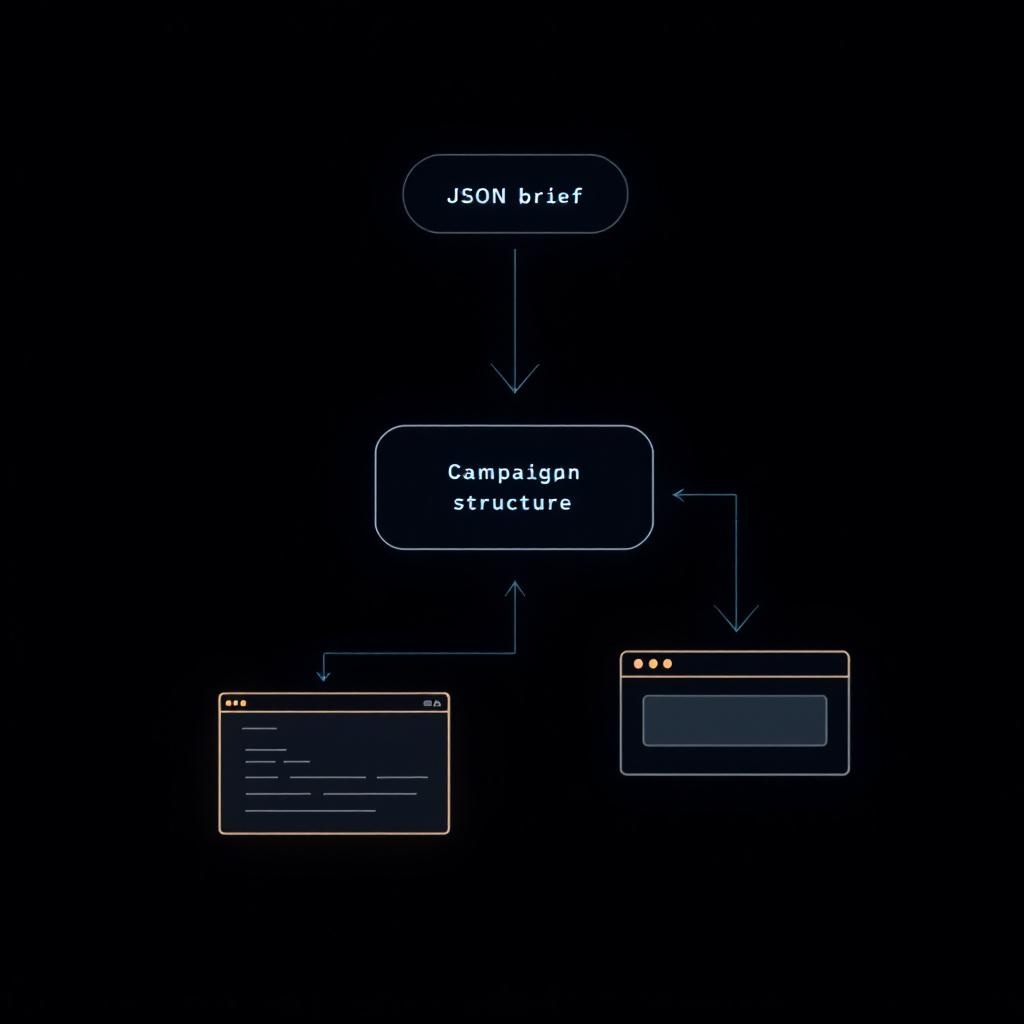
Real Workflow: Launching a Campaign From Terminal
Here's what a typical campaign launch looks like end-to-end. This is a real workflow we used for a Brooklyn preschool running summer camp enrollment ads.
Step 1: Pull account context to understand current state.
$ ./cli.py context ssm --structure
We check what's currently running, what audiences are active, and what the pixel and page setup looks like. This takes about two seconds and replaces the five minutes of clicking around Ads Manager to get oriented.
Step 2: Write the campaign brief.
We create a JSON file that defines the campaign structure, targeting for each ad set, and the ad copy variants. For this campaign, three ad sets: one targeting parents interested in preschool and summer camp, one targeting bilingual education interests, and one broad targeting of parents with young children in the Brooklyn area.
The brief includes five primary text variants, eight headline options, and three descriptions. Different copy angles test different motivations -- creative enrichment, bilingual programming, community feel, limited availability.
Step 3: Dry-run the launch.
$ ./cli.py launch ssm --brief=briefs/ssm-summer-camp.json
The CLI prints the full preview. We verify targeting parameters, budget allocations, and geo-locations. Everything looks right.
Step 4: Push.
$ ./cli.py launch ssm --brief=briefs/ssm-summer-camp.json --push
Confirmation prompt. Type y. Campaign and three ad sets are created in paused status. Total time from brief to live structure: about thirty seconds of actual CLI interaction, plus the thinking time spent writing the brief.
Step 5: Add creative and activate.
We use the build command to attach ad creatives to each ad set, then activate through Ads Manager after a final visual QA. The creative attachment can also be done via CLI with the brief's ads array, keeping the entire flow in the terminal.
The brief file gets committed to version control. If the campaign performs well, we can duplicate it for the next enrollment period by updating dates and copy. If the targeting needs adjustment, we edit the JSON and rebuild. The brief becomes a living document that evolves with the campaign.
The Multi-Client Architecture
One thing that makes this tool practical rather than just clever is the multi-client configuration. Every client is defined in clients.yaml with their account ID, page ID, pixel, brand voice, and default settings:
clients:
  shelskys:
    account_id: "act_1447863689312920"
    name: "Shelsky's of Brooklyn"
    page_id: "204064146291192"
    pixel_id: "266035058791899"
    brand_voice:
      tone: "warm, authentic, New York deli heritage"
      avoid: ["emojis", "corporate speak"]
    default_cta: "ORDER_NOW"

  ssm:
    account_id: "act_1303903044825130"
    name: "Smith Street Maternelle"
    page_id: "317855335785049"
    brand_voice:
      tone: "warm, community-oriented, Brooklyn-focused"
      avoid: ["emojis", "corporate jargon", "aggressive sales language"]
    default_cta: "LEARN_MORE"
The client name is always the first argument after the command. Switching between clients is switching one word. The tool handles account context, authentication, page IDs, and brand voice automatically. There's no "log out of one account and into another" ritual.
This matters more than it seems. Context-switching between clients in Ads Manager breaks flow. It takes two to three minutes to navigate to a different account, find the right campaign, and remember where you were. In the CLI, it takes two seconds. Over the course of a day managing five accounts, that's an hour of dead time eliminated.
What We Learned Building It
The Meta API is better than Ads Manager. This surprised us. The Graph API is well-documented, reasonably consistent, and faster than the UI for almost every operation. The pain points are in error messages (which are sometimes cryptic) and rate limits (which require backoff logic). But the API gives you more control, not less, compared to clicking through the interface.
JSON briefs change how you think about campaigns. When a campaign is a document instead of a series of form submissions, you naturally spend more time planning and less time executing. You review the brief before pushing, not the live campaign after creating it. The quality of the initial setup goes up because the format encourages deliberation.
Dry-run is the most important feature. More important than copy generation. More important than multi-client support. The ability to see exactly what will be created before it exists on Meta is what makes the tool trustworthy. Without it, a CLI for ad management would be terrifying. With it, it's more predictable than the GUI.
Brand voice configuration prevents subtle mistakes. When you manage multiple clients, tone drift is real. You write punchy copy for a DTC brand and then carry that energy into a preschool campaign. Having brand voice rules baked into the client config means the tool catches these mistakes before you push. An emoji in a corporate client's copy gets flagged. Aggressive sales language in an education account gets caught.
Version-controlled campaigns are under-appreciated. Every brief we create goes into a folder. We can look back at what we ran three months ago, compare targeting changes over time, and reuse structures that worked. Ads Manager has no meaningful history. The CLI workflow creates an automatic audit trail.
What This Means for Brands
You're not going to use this tool. That's fine -- it's built for how we work, not for general distribution. But here's what it means for you if we're managing your campaigns:
Your campaigns are defined in reviewable documents, not form submissions. Before anything goes live, you can see exactly what will be created -- the targeting, the copy, the budgets, the structure. In plain text, not buried in a UI.
Mistakes are structurally harder to make. Dry-run previews, paused defaults, and confirmation prompts mean there are three gates between a command and live ad spend. We've never accidentally published a campaign or set the wrong budget with this tool.
Switching between your account and another client's takes seconds, not minutes. Which means more of our time goes to actual campaign management -- analysis, optimization, creative strategy -- and less to navigating software.
Your brand voice is enforced programmatically. The tool knows your tone, what to avoid, and your default CTA. Every piece of copy generated for your account passes through those constraints automatically.
This is one piece of a larger system. The CLI handles campaign structure and deployment. Separate tools handle market research, audience building, creative generation, landing pages, split testing, and reporting. They all feed each other. The brief that launches your campaign was informed by research that analyzed your competitors, personas built from your customer data, and copy frameworks tuned to your audience's awareness level.
We wrote about the full system here if you want the big picture.
The Takeaway
Ads Manager is a GUI. Our CLI is a workflow. The difference is that a GUI optimizes for ease of initial use, while a workflow optimizes for consistency, safety, and speed at scale.
We didn't build this because command lines are cool (though they are). We built it because managing five clients and dozens of campaigns from a click-based interface was the bottleneck, and the Meta API gave us everything we needed to remove it.
The tool is about 1,000 lines of Python. It took a few weekends to build the initial version and has been refined over months of daily use. The ROI isn't in the tool itself -- it's in the campaigns it enables us to build faster, with fewer mistakes, and with more time left for the strategic work that actually moves results.
If you're running paid social for an ecommerce brand and want to work with an agency that builds its own tools instead of renting someone else's, let's talk.